Guide / 6 min read
The B2B Landing Page Is Usually Not the Whole Problem
The page has to connect the promise, proof, data, and next handover

Asger Teglgaard
January 20, 2026
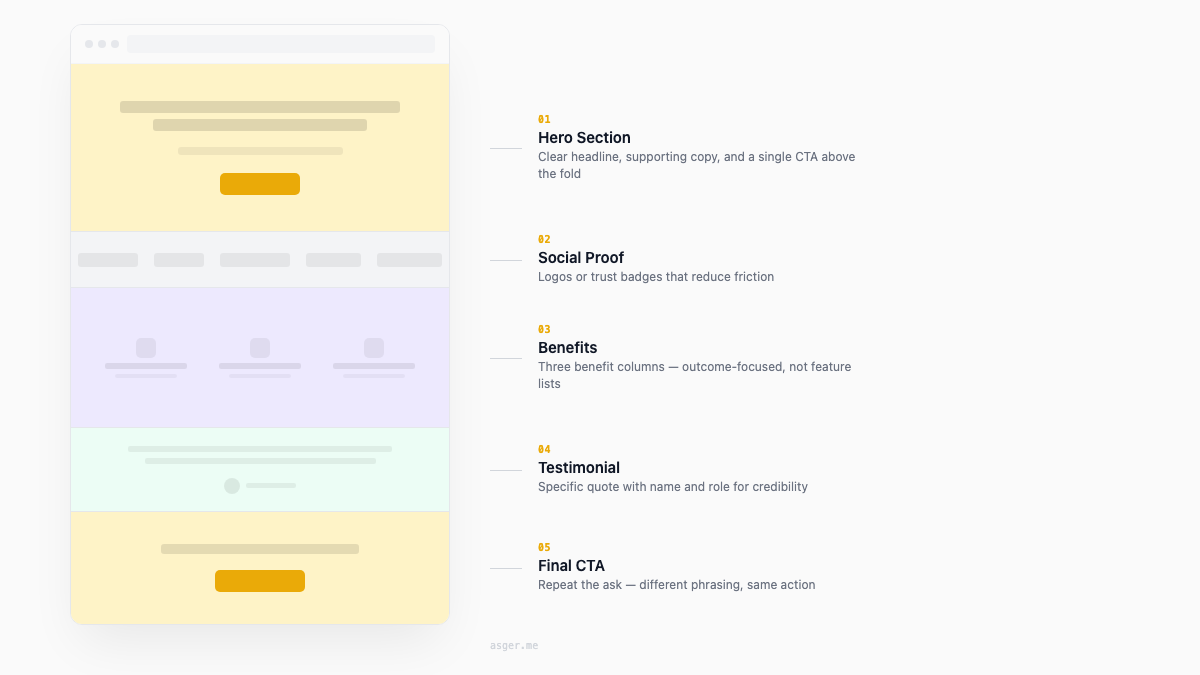
The page arrives with a lot of blame
Campaign performance is weak, so somebody points at the landing page.
Sometimes they are right. The headline says almost nothing, the proof is buried, and the form asks for information nobody needs.
Sometimes the page is doing exactly what the brief asked. The real problem is that the ad promised one thing, the page explains another, and sales follows up as if the visitor requested a third.
Changing the button colour will not repair that.
One page, one decision
A landing page should make one next decision easier.
That does not mean the buying journey is simple. Technical B2B products often involve several people, real risk, and a sales cycle that continues long after the form. The page still needs to be clear about what this visitor should understand and do now.
I start with three questions.
Who is this page for? What situation are they already in? What happens after they act?
If the team cannot agree on those, the copy is not ready. A beautifully written page will only hide the disagreement for a little longer.
The first screen should earn the second
The headline needs to tell the right buyer what changes for them. The supporting copy can explain the mechanism and the boundary.
“Next-generation platform” does neither. It asks the visitor to do the interpretation work.
For a technical product, specificity does not mean removing all detail. It means choosing the detail that helps this buyer recognise the problem and believe the product belongs in the answer.
The first screen also needs a next step that matches the visitor’s readiness. A product tour, a technical brief, an inquiry, and a sales meeting are different asks. The button should not pretend otherwise.
Proof should answer the hesitation
A row of logos can show that real companies have trusted you. It cannot explain why.
The stronger proof is close to the claim it supports: a product screen, an implementation detail, a named customer story, a specific before-and-after, or a quote the client has actually approved.
I would rather use one useful piece of proof than six vague claims dressed as cards.
For newer products, proof may be thinner. That is fine. Show what is real, explain how it works, and be honest about what still requires a conversation.
The form belongs to the handover
Every field should have a job after submission.
If sales will not use company size before the first reply, do not ask for it. If a visitor is downloading a technical note, a phone number is probably not the price of admission. If the next step genuinely needs implementation context, give the person a human way to provide it.
The thank-you state matters too. Say where the message went and what happens next.
Then test the path into the CRM. Check the source, consent, routing, notification, ownership, and the view sales receives. The landing page is not finished when the browser shows a success message.
The campaign and page need the same memory
This is where agents are useful in my workflow.
They can compare the campaign brief, ad variations, landing-page copy, product claims, tracking plan, and sales handover. They can flag when the audience changed in one place but not another, or when a claim appears without support in the source material.
I still choose the story and make the trade-offs. The agent helps keep the setup from drifting while several pieces move at once.
Test the uncertainty, not random furniture
Before running a test, write down what you are uncertain about.
Do buyers recognise the problem? Is the proof strong enough? Is the next step too large? Does the campaign attract the wrong role? Is the form losing people, or are the wrong people reaching it?
Change the part that answers that question. Then follow the result beyond the conversion event.
More form fills are not automatically better if sales receives less useful conversations.
The page matters. The motion around it decides whether it works. If yours keeps taking all the blame, send me the campaign and the handover.